A Coral Reef on Your Desktop: How the Aquarium Wallpaper Was Built
A real-time 3D reef living behind the desktop icons on macOS and Windows: fish that swim in the vertex shader, a simulation core in Rust compiled to WebAssembly, an ecosystem that breeds, grows and ages, food that falls where you trash a file, and Ed25519 licence tickets.
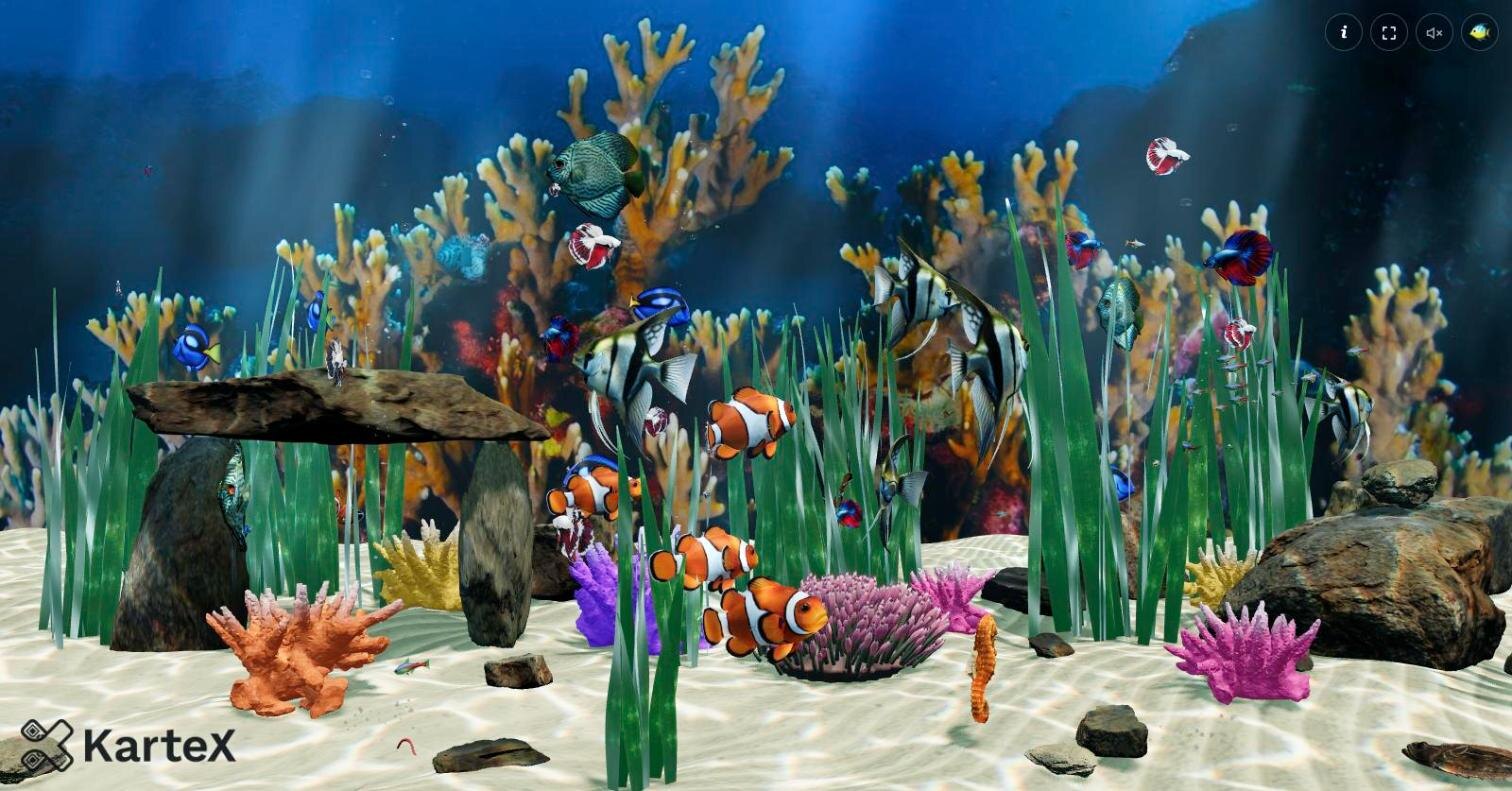
A desktop wallpaper is usually a photo, now and then a looping video. Aquarium is instead a living coral reef running in real time: the fish's swimming is computed every frame, they look for food when they are hungry, they grow, age, breed and die. The app has no window, because it is the desktop. On macOS and on Windows it runs right behind the desktop icons.
In this post I will walk through the project layer by layer: how the fish swim, the simulation core written in Rust, how to put a window behind the desktop icons on two platforms, and why the fish rush to the spot where you just deleted a file from your Desktop.
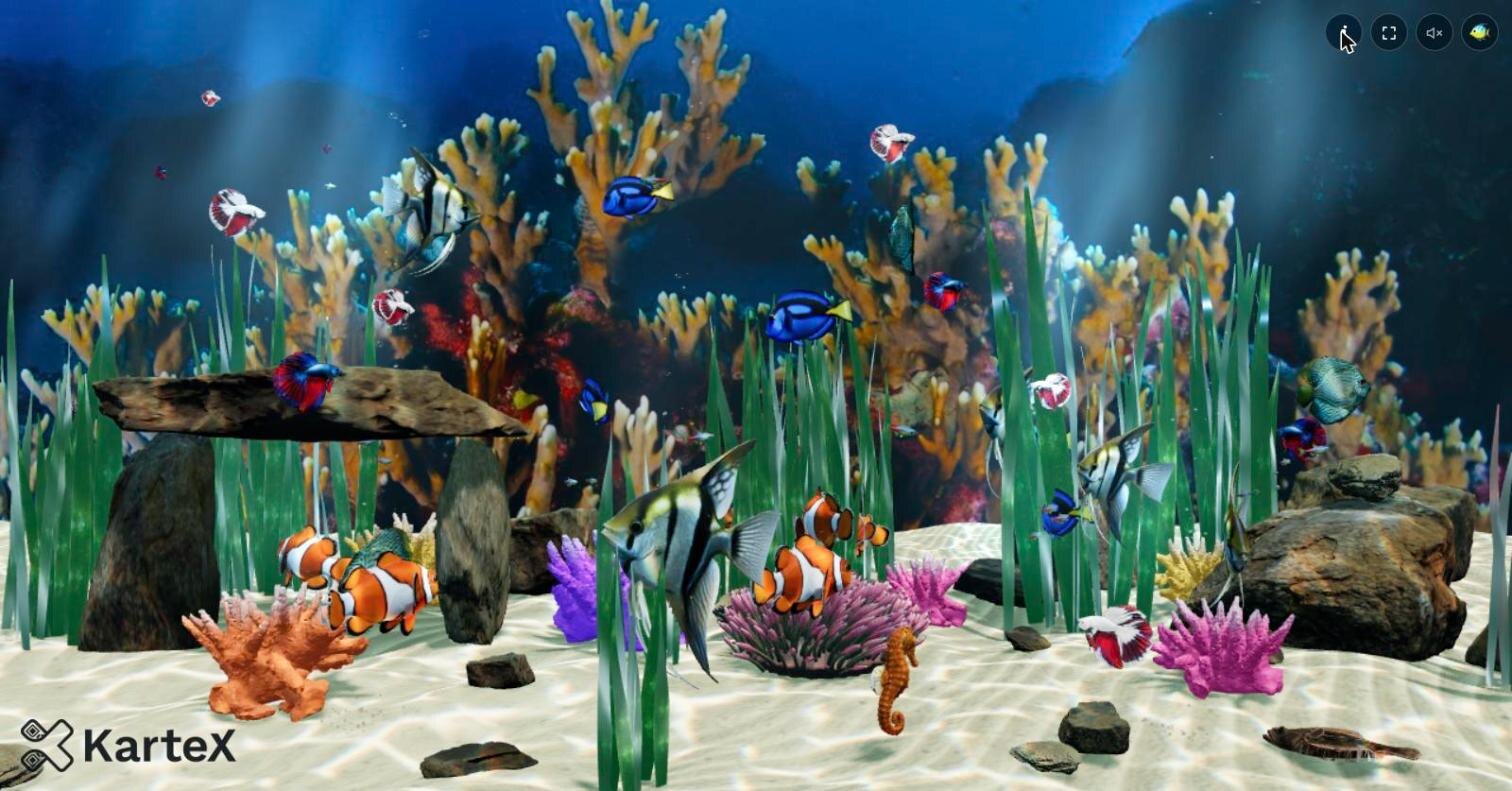
You can try the web build right away in your browser: deskreef.kartex.net. Move the mouse and the fish get scared and dart away. Every screenshot in this post was taken from that page, from the running scene.
What is in the scene?
Six species of fish live on the reef: angelfish, blue tang, clownfish, discus, guppy and neon tetra. Alongside them there are "residents" living among the rocks: a moray eel, seahorses and a flounder gliding over the sand. The clownfish keep returning to their anemone, and the neon tetras swim as a school.
Most of the environment is generated procedurally at run time: the sand, the rocks, the plants, the anemone and the shaders. The fish models come from a CC0 pack, the corals from Google's WebGL Aquarium samples and a Smithsonian 3D scan, and the backdrop photos from NOAA and USFWS reef photographs. There are six backdrops to choose from:
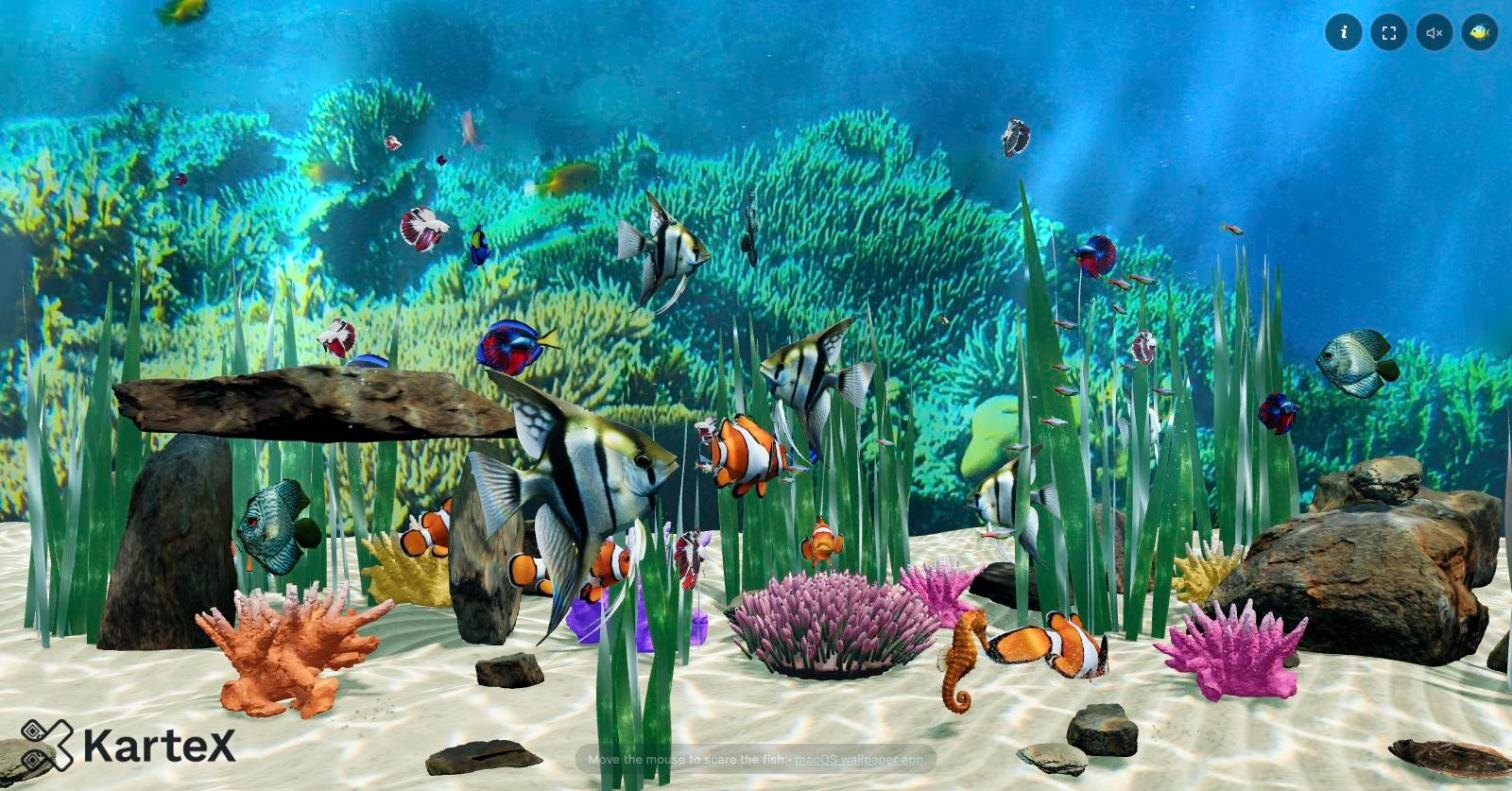
On the lighting side there are the effects you expect under water: caustics dancing on the sand, god rays coming down from the surface, bubbles that refract light like real air lenses, and swaying plants.
How do the fish swim?
The fish models are static meshes with no skeleton. All of the swimming is produced in the vertex shader. A wave travelling along the body swings the tail, the rear of the body bends about the head in turns, the dorsal and anal fins ripple, the pectoral fins flap. Each of these can be tuned per species: tail frequency and amplitude, the number of waves, how rigid the head is, where the neck bends.
The hard part is telling the fins apart from the body. The model is one piece; nothing says which vertex belongs to a fin. A small Python tool (tools/finmask.py) casts rays through the mesh from each vertex to measure its thickness. Thin surfaces are taken to be fins, and a .fin sidecar of 4 bytes per vertex is written. The shader uses those weights to move the fins independently of the body:
attribute vec4 aFin;  // median-fin weight, median edge, pectoral weight, pectoral edge

// swimming wave
float env = uEnv.x + (1.0 - uEnv.x) * pow(tW, uEnv.y);
float ampT = uSwim.y * env;
float ph = uSwim.x - uSwim.w * tW;
float dz = ampT * sin(ph);
The amplitude of the wave grows from nose to tail with an envelope (env), and the phase travels along the body (uSwim.w * tW). So the fish does not move like a whip but like a real fish, doing most of the work with its rear half. The shader also corrects for arc length so the wave does not stretch the body, and in rigid-headed species (such as the discus) it stops the wave at the head joint: the head swings as one piece, slightly against the tail. The betta's fins, for their part, flow like cloth, with inertia.
The brain: a simulation core in Rust
What the fish do does not live in the page's JavaScript but in the Rust code under core/: steering, feeding, the worm strike, growth, ageing, births, schools; the food flakes and the worms; the seahorses' roaming and the flounder's glides. The core compiles to wasm32-unknown-unknown and is embedded in the page as a 140–195 KB WebAssembly module. npm run build works without a Rust toolchain, because the compiled module is committed.
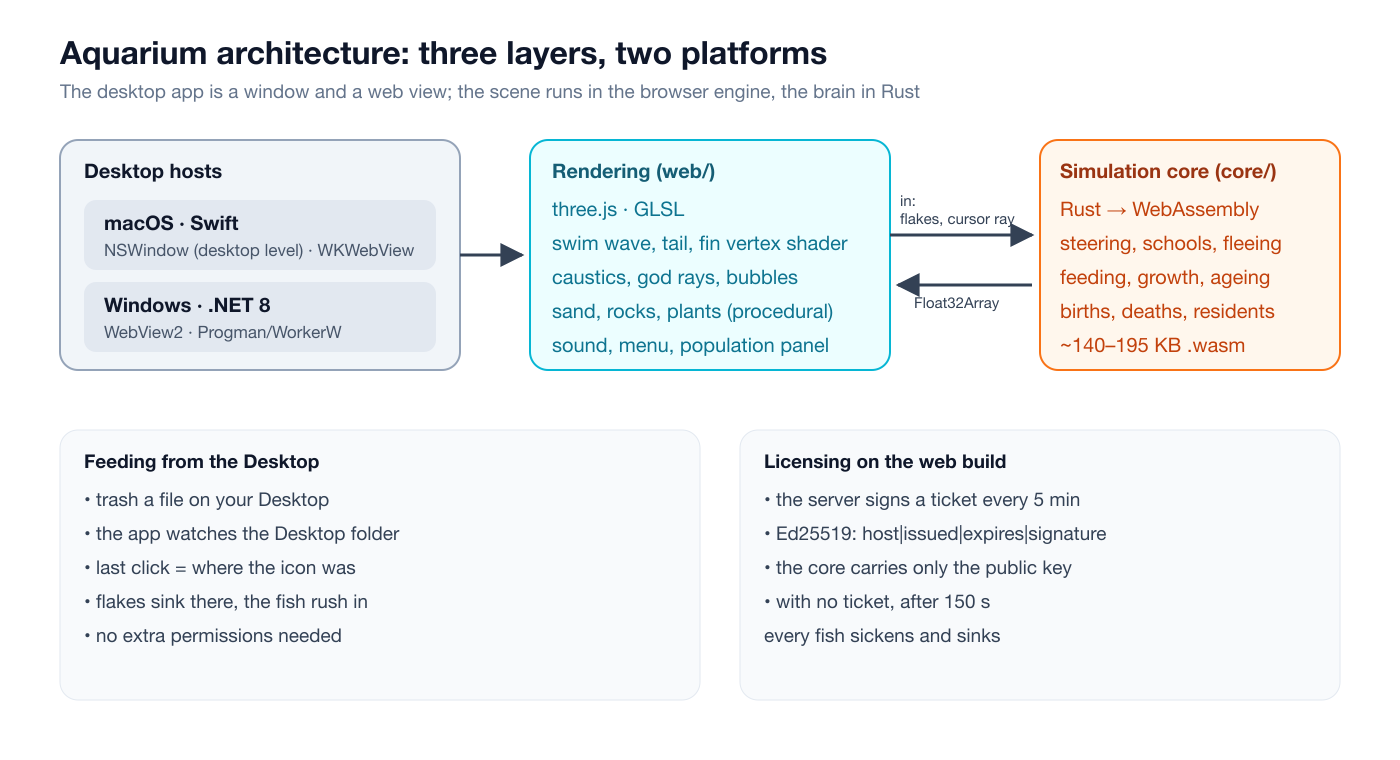
The page only draws. fish.js keeps the materials and shader uniforms for each fish and, every frame, reads that fish's record in the core through a Float32Array laid over the module's memory. There is no copying and no serialisation in between. The world is made of bounds-checked blocks laid out word for word as the page reads them; the only unsafe line is the import that reads the host name.
Steering is based on the classic idea of steering behaviours: for each fish a few forces are computed and added up. The separation step keeps fish from bumping into each other, pulls schooling fish together and turns them the same way, and makes a fish dashing past startle its neighbours:
pub fn steer_separate(w: &mut World, i: i64) {
    let s = w.sb_of(i);
    let school = f2b(w.sg(s, s_school()));
    let pos = w.fgv(i, f_pos());
    let size = w.fg(i, f_size());
    // ...
    for j in 0..capacity() {
        // ...
        let v = vsub(pos, fpos);
        let d = vlen(v);
        let min_d = (size + fsize) * (if school && same { 0.6 } else { 1.0 });
        if d < min_d && d > 0.0001 && !feeding {
            let q = min_d / max(d, min_d * 0.2);
            steer_add(w, i, vscale(v, 1.0 / d), q * q * (if chasing { 0.15 } else { 0.6 }));
        }
        // a fish dashing past startles the ones it comes close to:
        // they shy away a little for half a second
        // ...
    }
    if n_coh > 0 {
        let c = vsub(vscale(coh, 1.0 / to_float(n_coh)), pos);
        let dc = if vlen(c) > 0.0 { vlen(c) } else { 1.0 };
        steer_add(w, i, vscale(c, 1.0 / dc), min(dc / (size * 3.0), 1.0) * 0.8);
        steer_add(w, i, vnorm(ali), 1.0);
    }
}
On top of that there are steps for staying inside the tank, avoiding rocks, keeping the middle from filling up, heading for food, striking at worms and fleeing the mouse. One interesting detail: the core was first written in Rill and then ported to Rust line by line. To make sure the two behave the same, the ?trace parameter records every call into the core; tools/core-diff.mjs replays a recording against two different builds and stops at the first frame where anything the page reads differs. The sand height is also computed on both sides from the same Perlin noise, so where the core thinks the floor is matches exactly where it is drawn.
An ecosystem: birth, growth, old age
The aquarium changes by itself over time. Fry grow as they eat; a fry that goes hungry for too long dies. Adults age and die when their lifespan runs out, but a species' population never drops below its starting count. A birth needs a fish that has eaten enough; species differ in fertility and appetite. Guppies are live-bearers, with 2–4 fry per birth. The blue tang sits out most feeds, and the angelfish joins only a quarter of them.
Open the info panel and you see, live, each species' total, adult, old and fry counts, its birth chance and how well fed each individual fish is:
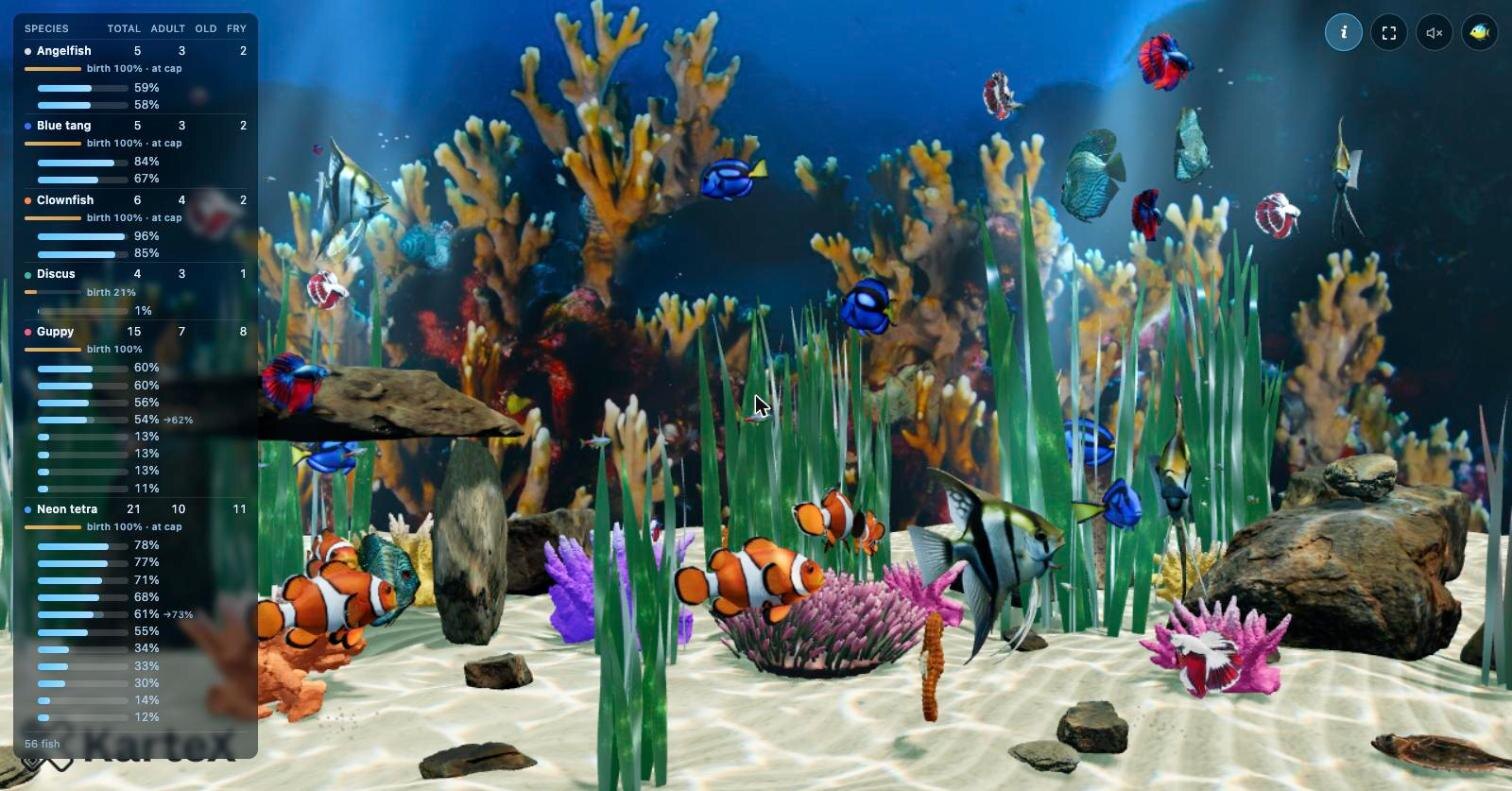
The heart of the life cycle is the life_tick function. A fry's growth is tied to how fed it is: a fish can only grow as much as it has eaten. Death does not come all at once either; a dying fish slows down gradually:
pub fn life_tick(w: &mut World, i: i64, dt: f64) {
    let s = w.sb_of(i);
    let life = w.wf(w_life());
    let age = w.fg(i, f_age());
    if age < 1.0 {
        let fed = min(1.0, w.fg(i, f_fed()) + dt * life * 0.00025);
        w.fput(i, f_fed(), fed);
        if fed > age {
            let age2 = min(fed, age + dt * life / w.sg(s, s_grow_time()));
            w.fput(i, f_age(), age2);
            // ...
        }
    }
    // ...
}
From the menu you can slow the ecosystem down to half speed or run it ten times faster, make a species give birth by hand or have one fish die. Quality (low/medium/high), frame rate (24/30/60), the backdrop, sound and the FPS counter are set here as well:
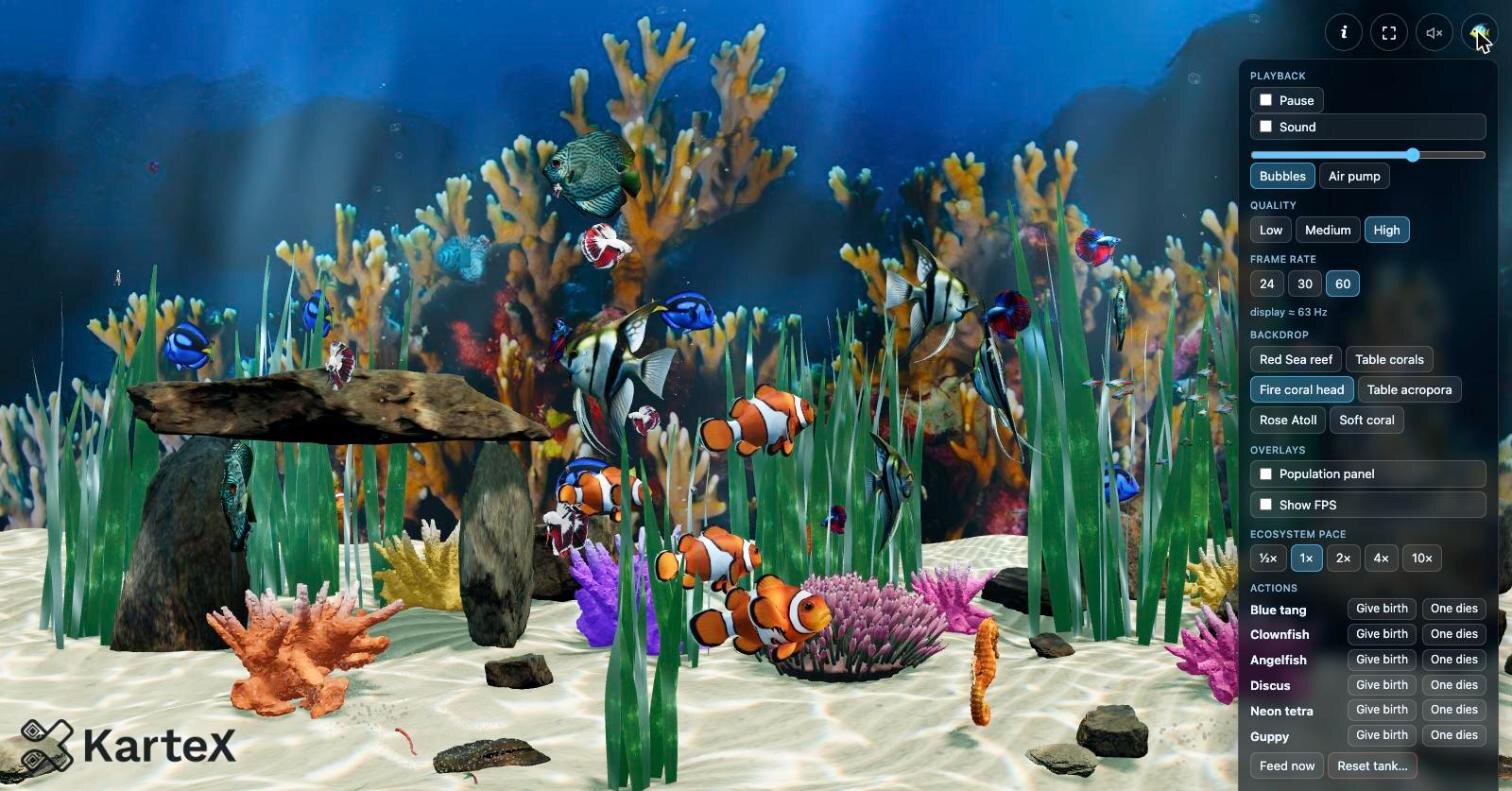
Feeding from the Desktop
This is my favourite feature: when you trash a file on your Desktop (drag it to the Trash, or press ⌘⌫), the fish rush to where that icon was. Food flakes sink from that spot, the fish crowd in and eat for a while, then disperse.
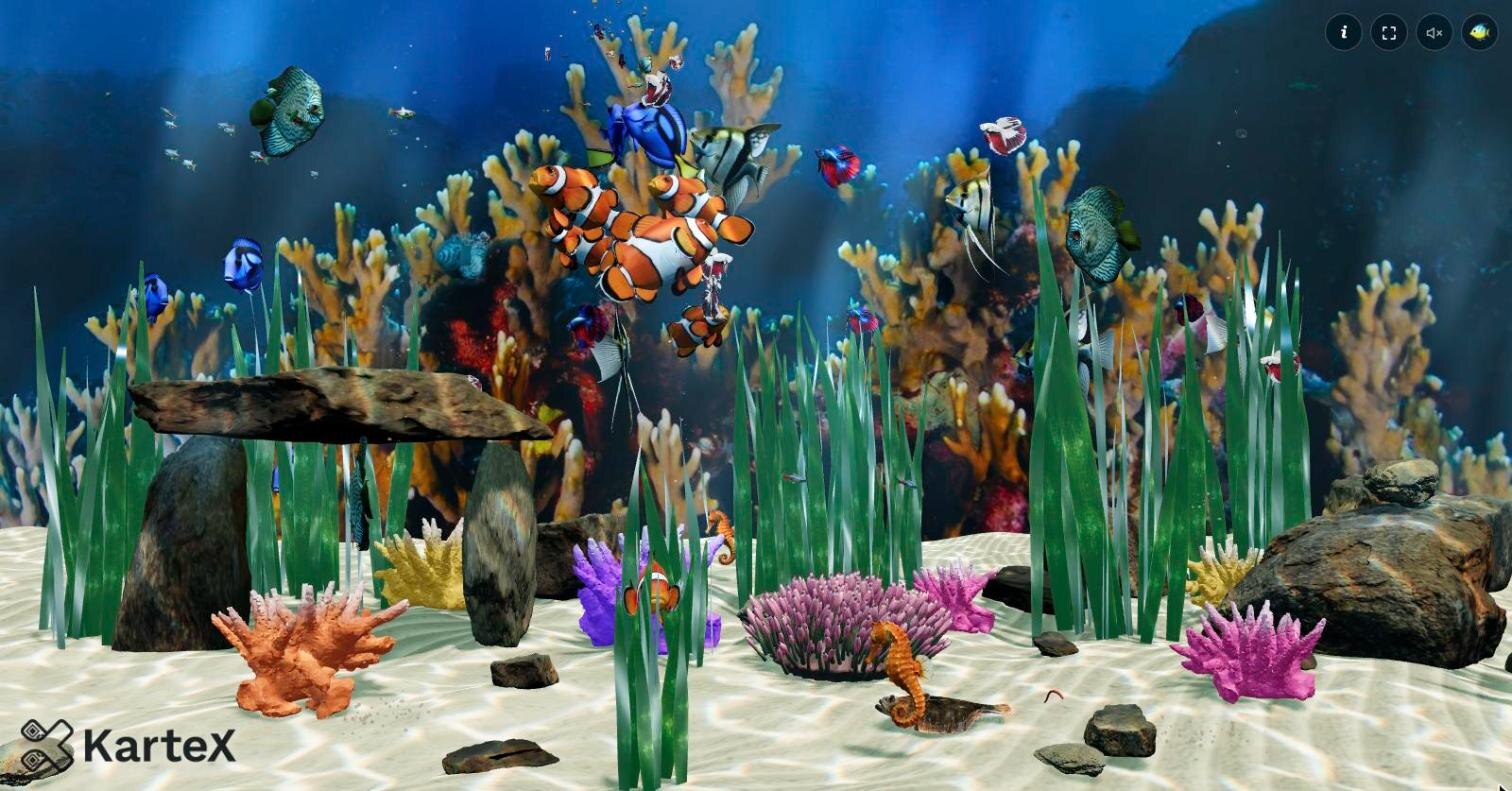
No extra permission is needed. The macOS app watches the ~/Desktop folder with a DispatchSource. When an item disappears, it takes the position of the last click as the icon's location, checks in the window list that the point really is desktop with no other window over it, and then tells the web view "drop food here". The Windows build does the same with its own DesktopWatcher.
Putting a window behind the desktop
The app draws one web view on every screen and places it behind the desktop icons. How you do that differs a lot between the two platforms.
On macOS it is fairly clean: a borderless NSWindow placed at the desktop window level, shown on every Space, ignoring mouse events:
window = NSWindow(contentRect: screen.frame, styleMask: .borderless, backing: .buffered, defer: false, screen: screen)
window.level = NSWindow.Level(rawValue: Int(CGWindowLevelForKey(.desktopWindow)))
window.collectionBehavior = [.canJoinAllSpaces, .stationary, .ignoresCycle]
window.isOpaque = true
window.hasShadow = false
window.ignoresMouseEvents = true
The app pauses by itself when the screen sleeps or locks and when the window is fully covered (occlusionState); it spends no CPU on an aquarium nobody can see. From the 🐠 icon in the menu bar you can pause, pick the quality and frame rate, launch at login, reload and quit.
On Windows there is no official way. It uses the classic trick from Wallpaper Engine style apps: send the undocumented 0x052C message to the Progman window to make it spawn a WorkerW, then find the WorkerW that sits behind the icon view (SHELLDLL_DefView) and parent the window into it. Where that WorkerW ends up depends on the Windows version; the code handles both known layouts:
public static IntPtr FindWorkerW()
{
    IntPtr progman = FindWindow("Progman", null);
    if (progman != IntPtr.Zero)
    {
        SendMessageTimeout(progman, 0x052C, IntPtr.Zero, IntPtr.Zero, 0, 1000, out _);
    }

    // Windows 11 (observed on build 26200): Progman hosts the spawned WorkerW as its own
    // child, below SHELLDLL_DefView in z-order.
    IntPtr child = FindWindowEx(progman, IntPtr.Zero, "WorkerW", null);
    if (child != IntPtr.Zero) return child;

    // Windows 10 and earlier: the WorkerW is a top-level window sitting just behind the one
    // that hosts the icon view.
    // ...
}
The Windows host is written with .NET 8 and WebView2 and reuses the same web/ bundle. The .NET runtime is inside the exe, and the installer asks for no administrator rights. The WebView2 Runtime already ships with Windows 11 and current Windows 10.
The web build and licence tickets
The web build has a problem of its own: the page and the WebAssembly module are public, and could be copied and hosted somewhere else. To prevent that, the core does not license itself. Every five minutes the page fetches a ticket from the server and hands it to the core. A ticket looks like host|issued|expires|Ed25519 signature. The core verifies it against the host name it read for itself: is the signature valid, is the ticket newer than the last one, has it not expired, and has at least one arrived in every 25 minutes of run time.
Because the core carries only the public key, tickets cannot be forged. The endpoint sends no CORS header and is rate-limited per client; a copy of the site elsewhere gets no ticket and winds down after 150 seconds: every fish sickens and sinks. The signing key is not in the source; it lives only on the machine and the server, and every deploy makes a new one. The core in the desktop apps, meanwhile, licenses their own origins offline.
The project in numbers
| Rust (simulation core) | ~5,300 lines |
| JavaScript (rendering, shaders, menu) | ~3,400 lines |
| C# (Windows host) | ~1,200 lines |
| Swift (macOS host) | ~570 lines |
| Python (fin mask and model tools) | ~500 lines |
| Commits | 173 |
| WebAssembly core | 140–195 KB |
| Species | 6 fish species + moray eel, seahorse, flounder |
The macOS build is a single universal binary that runs on both Intel and Apple Silicon. For Windows there is both an installer and a portable zip. Neither is code-signed, so on first launch you right-click and choose "Open" on macOS, and choose "Run anyway" in SmartScreen on Windows.
Conclusion
Aquarium taught me a few things. A wallpaper is a program that is always on and runs even when nobody is looking; so performance and the rules for pausing matter as much as the visuals. Writing the picture with web technology and the brain in Rust brought together the best of both: the same scene runs on two operating systems and in the browser, and the simulation behaves exactly the same everywhere. And the fish running to the spot where you just trashed a file turned out to be a far more delightful interaction than I expected.
The software belongs to Kartex Teknoloji ve Bilişim A.Ş. The third-party models, textures, photographs and sounds keep their own licences, listed in NOTICES.txt. You can try the web build at deskreef.kartex.net. I would be glad to hear your questions on X or LinkedIn.